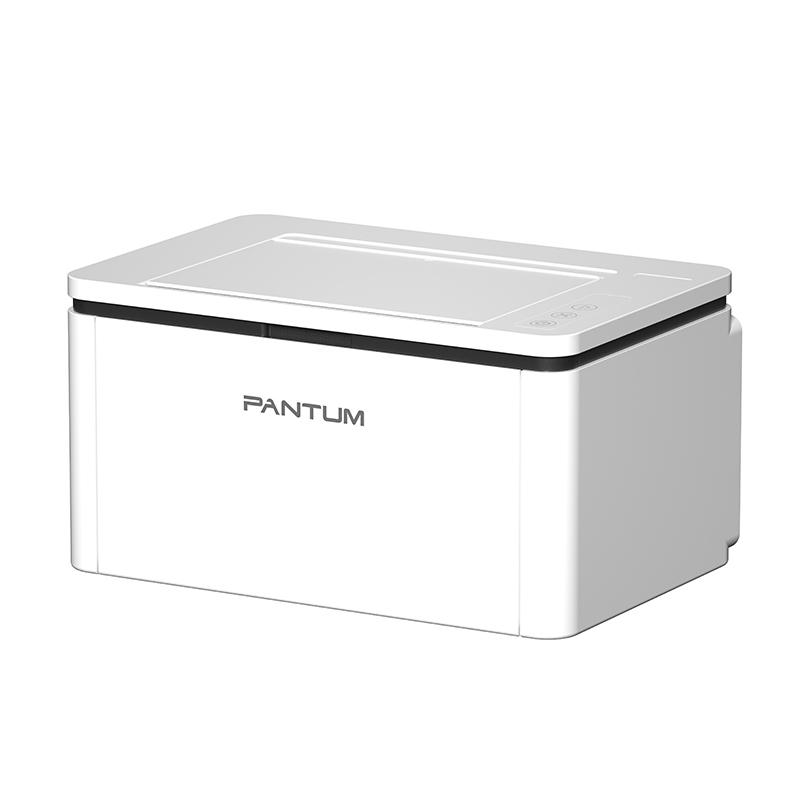
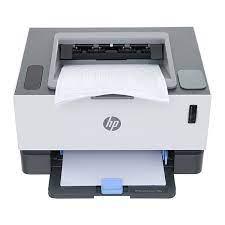
Pantum BP2310 Monochrome Laser Printer is a dedicated printing function monochrome laser printer, designed to be compact and space-saving, suitable for individuals, home offices, or small offices with simple, fast, and efficient document printing needs. Although a single-function printer, the BP2310 stands out with its decent print speed and versatile connectivity, offering user convenience.
Pantum BP2310 Monochrome Laser Printer Specifications:
- Function: Print only (single-function).
- Print Speed: Up to 22 pages/minute (A4) / 23 pages/minute (Letter).
- Automatic Duplex Printing: No (single-sided printing only).
- Print Resolution: Up to 1200 x 1200 dpi.
- Connectivity: High-speed USB 2.0, Wi-Fi (2.4G).
- Processor: 600 MHz.
- Memory: 128 MB.
- Paper Tray: Standard tray 150 sheets.
- Maximum Monthly Duty Cycle: 20,000 pages.
- Recommended Monthly Print Volume: 250 to 2,500 pages.
Key Technology Features
PANTUM BP2310 focuses on providing a basic yet efficient printing experience with the following outstanding technologies:
- Compact, Space-Saving Design: This is one of the BP2310's strongest points. Its compact size allows it to fit easily on a desk without taking up much space, making it ideal for limited areas.
- Convenient Wi-Fi Connectivity: Despite being a personal printer, Wi-Fi connectivity allows users to print from any device (computer, laptop, phone) on the same network without cumbersome cables. This significantly increases flexibility and convenience.
- Stable Print Speed: With a speed of 22 pages/minute, the BP2310 is fast enough to handle daily printing tasks for individuals or small groups without excessive waiting.
- High Resolution: The 1200 x 1200 dpi resolution ensures sharp, clear text output, suitable for professional documents.
- Adequate Processor and Memory: The 600 MHz processor and 128 MB of memory enable the printer to process print commands smoothly, minimizing delays when printing moderately sized documents.
- Separate Toner and Drum Cartridges: Similar to other Pantum models, the BP2310 uses separate toner and drum units. This allows you to replace only the depleted component (toner or drum) instead of the entire assembly, saving long-term operating costs. High-yield toner cartridge options (up to 1,600 pages) also reduce replacement frequency.
- Simple Setup: The driver installation and printer connection process is typically intuitive and easy, suitable even for users with limited technical knowledge.
Effective Usage Guide
To use the PANTUM BP2310 effectively and ensure its longevity, follow these guidelines:
- Initial Setup:
- Printer Placement: Place the printer on a flat, stable, and dry surface. Ensure adequate space around it for good ventilation.
- Connection: Plug in the power cord. To connect to a computer, you can use the included USB cable or set up Wi-Fi. For Wi-Fi, follow the instructions in the manual or on the display screen (if available) to connect the printer to your wireless network.
- Driver Installation: Always visit the official Pantum website (global.pantum.com) to download the latest driver for the BP2310. Correct driver installation is crucial for stable and optimal performance.
- Proper Paper Usage:
- Select Suitable Paper: This printer is compatible with various paper types (plain, thin, thick, recycled, transparent, cardstock, labels, envelopes). Ensure you use the correct paper type and weight (g/m²) supported by the machine to avoid paper jams and ensure print quality.
- Load Paper Correctly: Load paper into the tray according to the instructions, adjusting the paper guides to match the paper size to prevent misaligned prints.
- Optimize Print Settings:
- Choose Resolution: For regular text documents, the default resolution is sufficient. If you need to print documents with extremely high sharpness (like technical drawings, charts), select the 1200x1200 dpi resolution in the print settings.
- Print from Mobile Devices: Download and use the Pantum app on your smartphone (available for iOS and Android) to print directly from your phone via Wi-Fi.
Usage Notes
Pantum BP2310 Monochrome Laser Printer
- Consumables: Always use genuine or high-quality compatible toner cartridges and drum units recommended by Pantum. Non-genuine toners can damage the printer, reduce print quality, and affect the device's lifespan.
- Electrical Safety: Do not plug or unplug the power cord with wet hands. Ensure the power outlet is stable and not overloaded. Unplug the power cord when the printer is not in use for extended periods or during thunderstorms.
- Handling Paper Jams: If the printer reports a paper jam error, turn off the printer and unplug it. Then, gently open the printer covers and carefully pull out the jammed paper following the instructions in the user manual. Avoid using excessive force to prevent tearing the paper or damaging internal components.
- Maintenance: Regularly clean the exterior of the printer to remove dust. Do not use harsh chemicals for cleaning.
- No Automatic Duplex Printing: The PANTUM BP2310 does not support automatic duplex printing. If you need to print on both sides, you will have to manually flip the paper. Keep this in mind when purchasing if your needs frequently involve double-sided printing.
The PANTUM BP2310 Monochrome Laser Printer is a worthwhile choice for those seeking a compact, convenient, and cost-effective printer for personal or small office printing needs. With its flexible Wi-Fi connectivity, stable print speed, and especially the separate toner/drum system that optimizes operating costs, the BP2310 offers high efficiency for basic printing tasks.